
Secur-u - Residential and Commercial Security Alarms in Milton, Oakville, Georgetown, Mississauga and  Brampton
Serving Halton & Peel Since 1994
Request A Quote1-866-820-9124
Secur-U
Save $50 on your monthly monitoring!


Security Alarms Referral Program in Milton, Oakville, Georgetown, Mississauga, Brampton, Guelph and  Burlington   Bookmark and Share

securu

Rss Feed

When sharing is BAD

Posted by: Billy Eaton Posted Date: 05/15/2013


Recently I have received some calls from small businesses asking to change their alarm code because they have had to let one of their employees go. As we go through the process of changing the code, which can seem like a hassle to the business owner or manager, I ask the question. “Are you all using the same code?” Upon asking I get the same answer, “Yes.” It’s a bit of a shame(and a pain) that because one person is leaving, everybody who is staying will need to learn a new code isn’t it?

Giving everybody individual codes allows you, the small business owner, to control individual access to the system and even identify the last person arming or disarming your system through services like Opening and Closing Reports. I'll share some more on that in a bit, but first lets get you set up to create some new user codes. The following information applies to DSC Alarm systems.

You'll want to set up a small chart so you can account for everybody's code, like the one below.


Name User # Code
MasterCode 40 1234
Wendy  01 7890
Dave 02 5432


Something important to note is the User Number. This is like a designated parking space. It will tell you where you can find that persons code, so its important to write down which User Number you assigned to their code. This will tell you where to find their code in the future if you need to change or delete it. User Numbers also require 2 digits, so be sure when putting in users 1-9 that you have a 0 prior to the number as shown above.

The Master Code is what allows you, the alarm owner, to make changes to your users, time on the display, etc. You can even change it yourself by following the same process as you would to change a code for an employee, so lets review how to do that now.

ADDING OR CHANGING A CODE

Start by pressing *5 and your Master Code. A series of short beeps will follow letting you know that you have the right master code. Now enter the 2 digit User Number you wish to add/change. Following that enter the new 4 digit code for that person and press # when you are done.

The system will return to a normal setting now and when it is ready to be armed (green check mark is on), test out your new code. Its best that you try the code and make sure it works before your employee finds out that it doesn't.

DELETING A CODE

Again press *5 and your Master Code. Now press the 2 digit User Number for the code to be deleted and finish by pressing * then #.

As with adding a code, make sure it does NOT work by trying to arm the system with it.

OPEN AND CLOSING REPORTS

This service can provide you with valuable information. The Opening and Closing Report will either text you every time your system is armed and disarmed, or email you a monthly report of the arming and disarming of the system. This service could save you hours in labour and can help you verify against your time sheets for your staff. It may not be much help however if you are all using one code. 

Much like the human brain, our alarm systems have some untapped potential. If you need help getting your alarm system up to its potential, please contact us at SECUR-U and we will be happy to help you.


Water Sensors: Your Alarm System's Fringe Benefit

Posted by: Billy Eaton Posted Date: 03/14/2013


Extra Protection from your Alarm System

With Mother Nature still fighting with Wiarton Willy about when spring is going to finally arrive, maybe it’s a good time to talk about something most people aren’t aware their alarm system can do. Your home alarm system can protect you against more than the intrusion of people. If you are susceptible to having a flood in your basement, then a water sensor may be a great addition to your home alarm.

Imagine it, you’ve just finished your basement, paid tens of thousands of dollars to lay that flooring, have it drywalled and painted. Heck, maybe you even spent a lot of money on that basement theatre you always wanted. Now imagine that your sump pump stops working. It’s possible. Maybe the breaker trips, maybe there is something faulty about the pump itself, maybe you unplugged it to use the outlet and forgot to plug it back in, but whatever the reason your sump pump is not doing its job. Spring is almost here and with the snow continuing to fall, we will have a lot of water looking for a place to go. If it’s your newly finished basement, shouldn’t you protect that investment you’ve made?

A water sensor can let you know when water is rising out of your sump pump and is threatening to move through the rest of your basement. By placing the water sensor close to your sump pump, close to the floor, when water rises, it closes the circuit and creates an alarm condition. Then very much like a break in, the phone calls begin, to you, your spouse, and anybody on your call list. Knowing that your basement is slowly flooding can give you time to address the issue before it takes hold of your whole basement. Talk to your security provider today about installing a flood sensor in your home. You don’t have an alarm but are interested in the flood protection? Give us a call 1-866-878-4634. Because at SECUR-U we are, Working Together for a Safer Community.

Alarm Maintenance Tips

Posted by: Billy Eaton Posted Date: 02/19/2013

Hamilton Police Service’s False Alarm Reduction Unit (FARU) was created to reduce incidents with false alarms and the impact on emergency response services such as Police, Fire and Ambulance. Recently they sent out a letter with some GREAT tips that will help you as a home or business owner reduce your false alarms.

1. Make sure anybody using your home or business alarm (kids, parents, dog walker, cleaners) has been shown how to properly disarm the system and turn the system off in the event of an alarm. 

2. Make sure that they know how to properly respond to the call from the monitoring company with proper credentials and information. If the monitoring station cannot verify the person responding to the call, they will dispatch the police.

3. If your alarm system is not functioning properly, contact your alarm company immediately. You take your car to the mechanic for regular maintenance, as well as when it stops working properly, why put off fixing a system that is securing your home?

4. Clean your system. Vacuum off your motion and smoke detectors. Make sure that the contacts on your door are clear of any debris. 

5. Once you have had a false alarm, contact your alarm company to determine the cause. This can help determine if it is mechanical or user error.

6. When your list of key holders changes, contact your alarm company to let them know. A former neighbour who moved 3 hours away isn’t likely to be able to help when the alarm goes off. Send the alarm company an email or fax to ensure that you have provided accurate information such as phone numbers.

7. Going on vacation? Make sure you aren’t the one getting the call while on the beach in Aruba. Let your alarm company know that you will be away and for how long. Have a close friend or neighbour as your primary contact while you are away so you can enjoy your trip.

8. Did you lock that door or window? Go check before you arm the system. Leaving a door or window unlocked is just as bad as not setting your alarm.

9. Unsure of what might set your system off? Test it out. Talk to your alarm company and test out different situations with pets and new codes to ensure you know what might cause a false alarm and you are there to disarm the system before a false alarm really occurs.

Regular use of your alarm system will keep you in touch with any issues and ensuring that you are aware of how it is working. Keep in touch with your alarm system provider. For those with SECUR-U alarm systems, you know you can always reach us in our office (905)878-4634 and we are always happy to help!

Time to Roll Back

Posted by: Billy Eaton Posted Date: 11/02/2012

Changing the Clock on your DSC Keypad

Its coming! We roll back the clocks this weekend and as we either change them all before we go to bed with that extra hour of sleep, or spend that extra hour that were up too early on sunday morning doing it, you'll eventually get to the one on your home alarm keypad. It may seem like a daunting or dangerous task, but fret not, its a simple change and we're happy to walk you through it.

Follow these simple steps:

Press *6

Then your 4 digit Master Code

Press 1

Enter the Time in 24 hour mode (HH:MM)

Enter the Date using the following format (MM:DD:YY)

Now press #

All done! Wasn't that easy? Lets make it even easier for you! Save this YouTube Video we posted for future reference in your favourites on your web browser and be sure to share it with any friends who have a DSC alarm system. If you have other questions about different functions of your DSC system (adding a code, deleting a code) see our other YouTube Videos! If the answer isn't there, email us your question at info@securu.com or call our office at 905-878-4634.

Why your Home Alarm doesn't work Part 4

Posted by: Billy Eaton Posted Date: 10/05/2012

Sharing your code

You shared your code with them. Maybe you were away on vacation and asked a neighbour to check on the house, or let the dog out before you get home from work, or maybe its your maid service that comes in during the day mid week. Regardless of who it is, they should have their own code. Programming different codes for different people gives you more control. You can delete that code when you come back from vacation or hire a new cleaning company or dog walker. This ensures that if they try to come back, they wont be able to access your home without your permission.

For added peace of mind most security companies also offer a product called “Openings & Closings.” What this provides you with is the documentation of who disarmed and armed the alarm and at what time. This information is sent via text message. It lets you know your children got home from school, or if they came home early. As well it lets you know that the last person out of the house set the alarm, or didn’t. The fee for this service is nominal and gives you information you need at a moment’s glance to your cell phone, which let’s face it you do an uncountable amount of times every day anyways. For business owners with an alarm system, this product can assist you in preventing the most devious type of theft. Time theft. What is even more assuring about using this for your small business is that, if you save yourself from losing just one hour of labour a month the service will pay for itself. If you think you're losing more, it will keep money in your pocket.

Take the time to ensure that you are using your system properly and it will work for you. If you have questions about your system and would like some assistance setting up your monitoring, servicing your system or learning more about your home alarm please contact our office.

Why your Home Alarm doesn't work Part 3

Posted by: Billy Eaton Posted Date: 10/02/2012

The system doesn’t work properly

The most common version of this that I see when I visit homes or small businesses is that the motion detector is covered.  When I ask I get a variety of answers from “we got a dog and he will set it off” to “oh we kept getting false alarms from that one, so we just covered it.” Motion detectors are typically used for high traffic or unavoidable areas. The foyer motion should always be working as it job its to cover activity coming in and heading up the stairs to your jewelry, cash, and more importantly your family.

 I’ll begin with the dog. Motion detectors have come a long way in the last number of years. Now most have infra red sensors that allow for pet immunity up to 80lbs. If you have a larger dog that exceeds that, you may want to look at ensuring your existing system has ALL perimeter entry points covered. Other solutions to this may be keeping the dog in a portion of the house that isn’t near a motion detector.

Next to the broken motion detector.  I’m going back to the car metaphor on this one. If you found out that your alternator was broken, you can ignore it for a while but eventually your cars battery will leave you stranded because the alternator wasn’t charging the battery properly. Likewise with your motion detector, yes you may avoid some false alarms but that motion serves a purpose in security system and when left in that state of disrepair, you leave yourself vulnerable. A service call will help address these issues quickly and keep your system running properly.

Similarly, if you have done renovations and replaced doors, make sure you have any contacts replaced by a properly trained service technician.

Security Interactive Products

Posted by: Doug Penson Posted Date: 06/29/2012

Security Interactive Products

C24 Interactive has an online, easy-to-use web interface that lets customers take accountability and responsibility for their home automation and security account.

Here are Seven Tasks that our SECUR-U Customers Can Perform: 

1. Manage your personal account

2. Review your event history 

3. View your system status 

4. Arm and Disarm your security system

5. Set up your notification services 

6. Control your home environment devices such as lamp/light modules and their thermostat via z-wave compliant devices

7. View live and archived video and even public IP cameras

 Email SECURU today to learn more about our innovative and easy to use products.


Security Alarms Provide Peace of Mind

Posted by: Doug Penson Posted Date: 05/31/2012

Security alarms monitor your home twenty-four hours a day. Whether armed or disarmed, your security system also protects you from tragedies such as a fire, water damage, and high temperature or carbon monoxide levels. Imagine the devastation when you arrive home to your basement ruined from water damage because your sump pump failed; our system can prevent that.


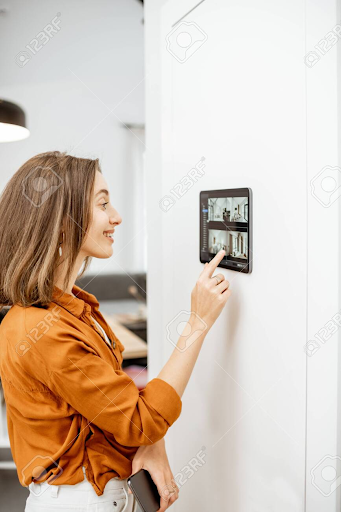
Let’s talk about the security alarm keypad; this device has many functions in addition to the four digit code to disarm your system. The first useful function on your DSC keypads is the convenient quick arm buttons that quickly arm your home in the stay or away mode for ease of use. When you’re walking out the door press the away key and off you go! It’s that easy. DSC Keypads also have a built-in door chime mode. This feature is a bell chime that sounds every time the door is opened and closed. Many don’t understand the value of this feature; however, quite possibly this feature could save the life of a child or elderly. This chime could make you aware that your child has gone out to the backyard where you have a pool, or it could signal you that your two-year old has escaped from the house and is heading towards the road. Or, if you have an elderly person with Alzheimer’s living with you, this chime can make you aware that someone has left the house and prevent a serious tragedy. Your keypad also has ‘Life safety buttons’. These are the Medical, Fire and Duress buttons on your keypad. Pressing these buttons will send an emergency signal to central station, and will provide immediate assistance. When you are in the midst of a medical emergency, if you are scared, or in trouble these buttons are invaluable.

Most insurance companies offer discounts to homeowners that install a monitored security system. It is a well- known fact that houses with visible window decals or lawn sign can deter an intruder. Houses with alarms are more likely to have a thief spend less time in their home, as they know that the alarm will signal a police dispatch. It’s all about convenience and arming your system must be simple. To accomplish this, our system will allow you to add a variety of wireless remote controls that will tailor to your specific needs. Again for a family with young children, remotes are extremely handy. In my case I have a status module in my garage that allows me to verify that the alarm is set. So I help my young children into the car then arm our alarm with the remote while backing out of my garage. With a system like the one I have, it’s nearly impossible to forget to arm the system. For anyone that currently has an alarm, I’m sure you can relate to this…. You’re snuggled in your bed, cozy and warm and you forgot to arm your alarm. So rather than go all the way downstairs, you simply decide that tonight you won’t arm you system. Instead of playing the odds, you can install an wireless wall plate inside your bedroom closet or beside your night table that will allow you to arm or disarm the system and call for help. In addition to this wall mount, you can also add a single button remote that can be worn around the neck for those requiring medical assistance or panic assistance.

We would love to help make your alarm more user friendly and convenient.

Contact SECUR-U to speak with our qualified sales staff. Remember, always arm your alarm.


Security for Food Service Industry Testimonial

Posted by: Doug Penson Posted Date: 03/14/2012


To Whom It may Concern March 14, 2012
 
Re:             SECUR-U Inc.                   
591-A McGeachie Drive
Milton, ON
L9T 3L5
 
 Mr. Doug Penson
 President
 
Gordon Food Service is a well known food service provider with distribution centres across Canada. Our customers demand the very best service in quality, delivery and especially, safety. They need to know that the products delivered to their sites have been handled with the utmost care.
 
To ensure we delivered on our promise to meet our customer’s requirements, it was critical to put into place, an effective and positive “Food Defence Program”. SECURU helped us to achieve our goals.
 
We were able to put into place a video surveillance system to monitor  interior and exterior movement and record as necessary. It has been successful in determining and resolving many issues, which had previously gone unchecked and unquestioned.
 
They were also instrumental in proposing, installing and maintaining our access control system. With over 600 employees, we can now manage access through key and critical portions of the office, warehouse and transportation while simultaneously, monitor, track and record traffic. This allowed us to review and adjust when necessary, our Food Defence Protocol and Procedures.
 
When considering the level of security now in place, it was important to ensure the service provider could back up these systems with the appropriate response time and knowledgeable technicians. They have not disappointed but in fact, have exceeded our expectations. In fact, our previous service provider, larger and well known in the industry, did not meet our requirements or provide the level of service we have come to receive from Secur-U.
 
I would recommend this organization to any company looking for that personal and detailed security systems and support.
 
Dino DeFilippis C.E.T.
Maintenance Manager
 

SECUR-U Inc. Welcomes Billy Eaton to our Sales Team

Posted by: Doug Penson Posted Date: 02/16/2012

SECUR-U Inc. Welcomes Billy Eaton to our Sales Team

Billy comes to SECUR-U with a variety of experience. He spent 8 years in Operations and Operations Management in a customer service based industry, a year and a half Automotive Sales and has a background in competitive figure skating with 9 trips to the Canadian Nationals as a single and pair. The variety of people that he has worked with through his experiences in each of those aspects of his life has given him the understanding that everybody’s wants and needs are different. With his background in operations he understands that solutions need to have simple functionality and require little maintenance to provide the best value to a client. Billy’s desire is to provide you with the BEST Security Solution for your current needs while considering any future needs you may have and give you the BEST Service BAR NONE from our SECUR-U Team.

Billy will be handling the West Terriroty of Carlisle, Waterdown, Flamborough, Guelph, Kitchener, Cambridge, Waterloo, and surrounding area.

To contact Billy at SECURU Inc.  "click here"

SECUR-U Inc. is Hiring for Residential – Commercial Sr. Sales Representative

Posted by: Doug Penson Posted Date: 04/28/2010

Residential – Commercial Sr. Sales Representative for SECUR-U Inc.

You were born a sales person. People who know you, say that ‘you could sell ice to an Eskimo’. You have proven time and time again that you are a star player on any sales team.

Your success in sales has come by way of cold calling prospecting. From your vast sales experience, you have a large network which you have nurtured and grown throughout your career. You understand that while it’s nice to hit the ball out of the park with large sales, the hits to first base are equally as important. You treat all customers big and small with the highest level of customer service integrity. Your approach is genuine, your communication skills are impeccable, and you love people. You are excited by new technology, and eager to come up with creative ways to apply it. You enjoy working with a small motivated team, who are passionate about the products you are selling. You are someone who is always in the game to win. In return for your success, we will provide you with a base salary, car allowance and bonus with unlimited potential. If you want to be on our team, please send your resume to tina@securu.com. Only those selected for an interview will be contacted. No phone calls please.


Residential Security Alarms in Milton, Oakville, Georgetown and  MississaugaCommercial Security Alarms in Brampton, Guelph and BurlingtonRequest a Free Residential Alarm System in Oakville, Georgetown, Mississauga, Brampton and GuelphJoin us in 'Working Together for a Safer Community

Site Map | Oakville Web Design by WSI. Copyright ©   Secur-U.
591 McGeachie Drive, Milton, ON, L9T 3L5.
Save $50 on your monthly monitoring